Quick Start
- Open Embed Settings in your investor portal.
- On your first setup, click Enable Embed in the Get Started tab.
- Open the Website Embed tab and copy the embed code.
- Paste that code into your website where you want founders to submit decks.
- Use the Content and Styles tabs to customize your widget.
- Submit a test deck to confirm everything works.
Tip: Keep your portal open in one tab and your website editor in another tab.
How It Works
Step 1
Founder uploads deck
The founder submits a PDF and email through your embedded form.
Step 2
VCMatch processes it
We analyze the submission and generate an AI brief in your investor pipeline.
Step 3
Your team reviews
You review AI-powered deal briefs and decide quickly whether to accept a pitch or pass.
Learn everything about an incoming deal with zero effort
Allow submissions directly from your website into your AI-powered deal pipeline. VCMatch generates AI briefs so your team processes deals faster and with more intelligence, then manages pipeline decisions by accepting a pitch or passing.
See The AI Brief In ActionBefore You Begin
- Make sure your investor portal access is active.
- Decide which page on your site should host submissions (for example: Apply, Contact, or Founders page).
- Pick who owns the website update: you, a teammate, or a web agency.
- Have one test deck PDF ready to verify setup after install.
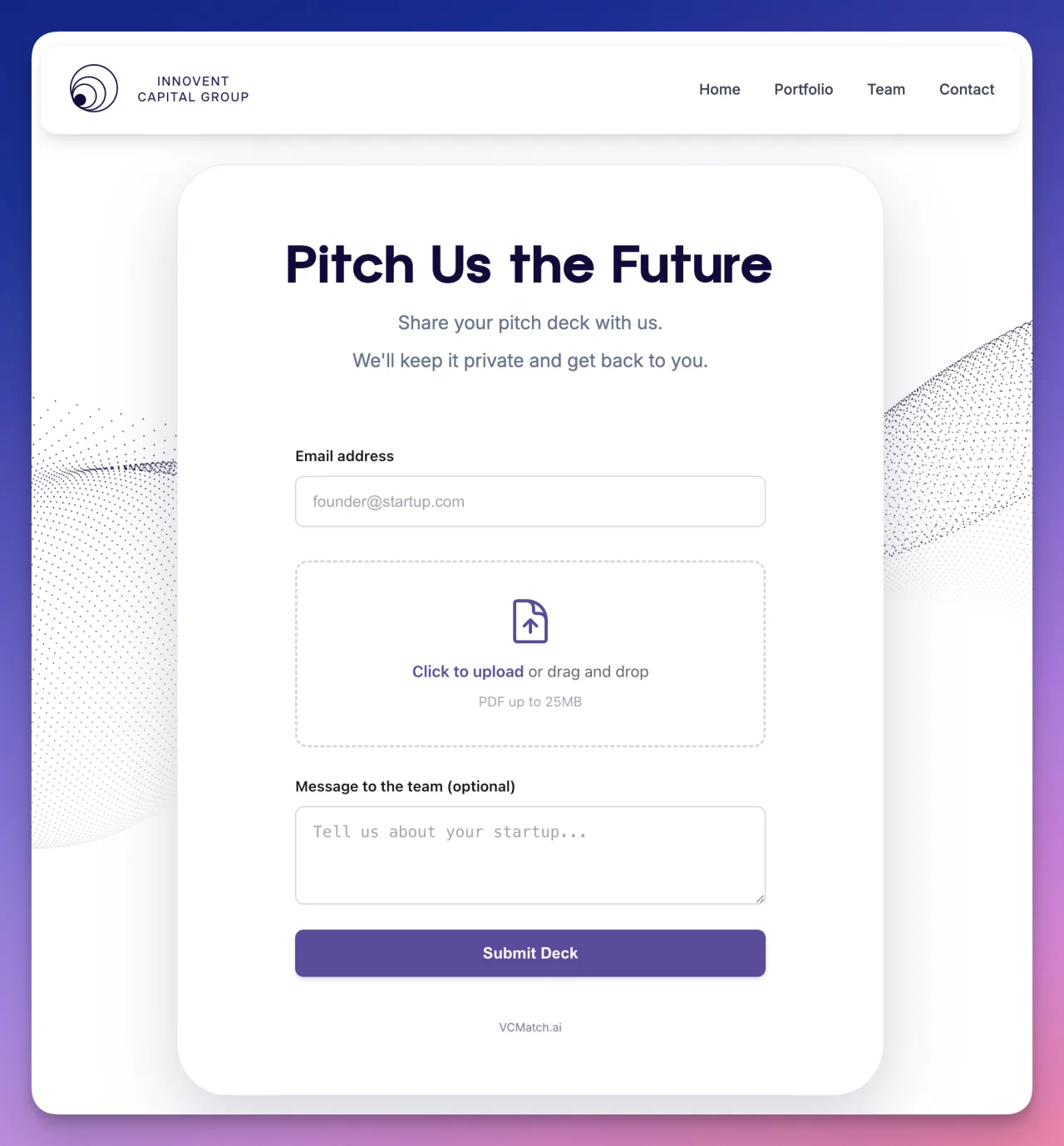
Sample before-you-embed view: this is what founders see when they open your submission widget.
Installation
Option A: Recommended embed script
- In your investor portal, open Embed Settings and click Enable Embed in Get Started if this is your first setup.
- Open Website Embed and copy the full embed code block exactly as shown.
- Paste it into your website page editor where you want the form to appear.
- Publish your website changes.
Option B: Iframe fallback
Use the iframe code only if your website blocks script tags. The iframe fallback is available directly in Embed Settings under "Plain iframe fallback".
If you use a website builder
- WordPress: Use a "Custom HTML" block.
- Webflow: Use an "Embed" component.
- Squarespace: Use a "Code" block.
- Wix: Use an HTML embed widget.
Do not edit your token manually
Always copy from Embed Settings. If your token is regenerated, update your website code with the new snippet.
Configuration
After installation, use these tabs in Embed Settings:
Content
Set your heading, button text, success message, and logo.
Styles
Pick colors, fonts, and border radius to match your brand.
AI Styles
Auto-generate a design based on your website, then fine-tune manually.
Custom CSS
Optional advanced overrides. Safe to ignore if you are not technical.
Go-Live Checklist
- The widget loads on desktop and mobile.
- Your logo, heading, and button text match your brand voice.
- A test upload appears in your investor submissions list.
- Your team knows where to review new submissions.
- You saved the latest embed code in your internal docs.
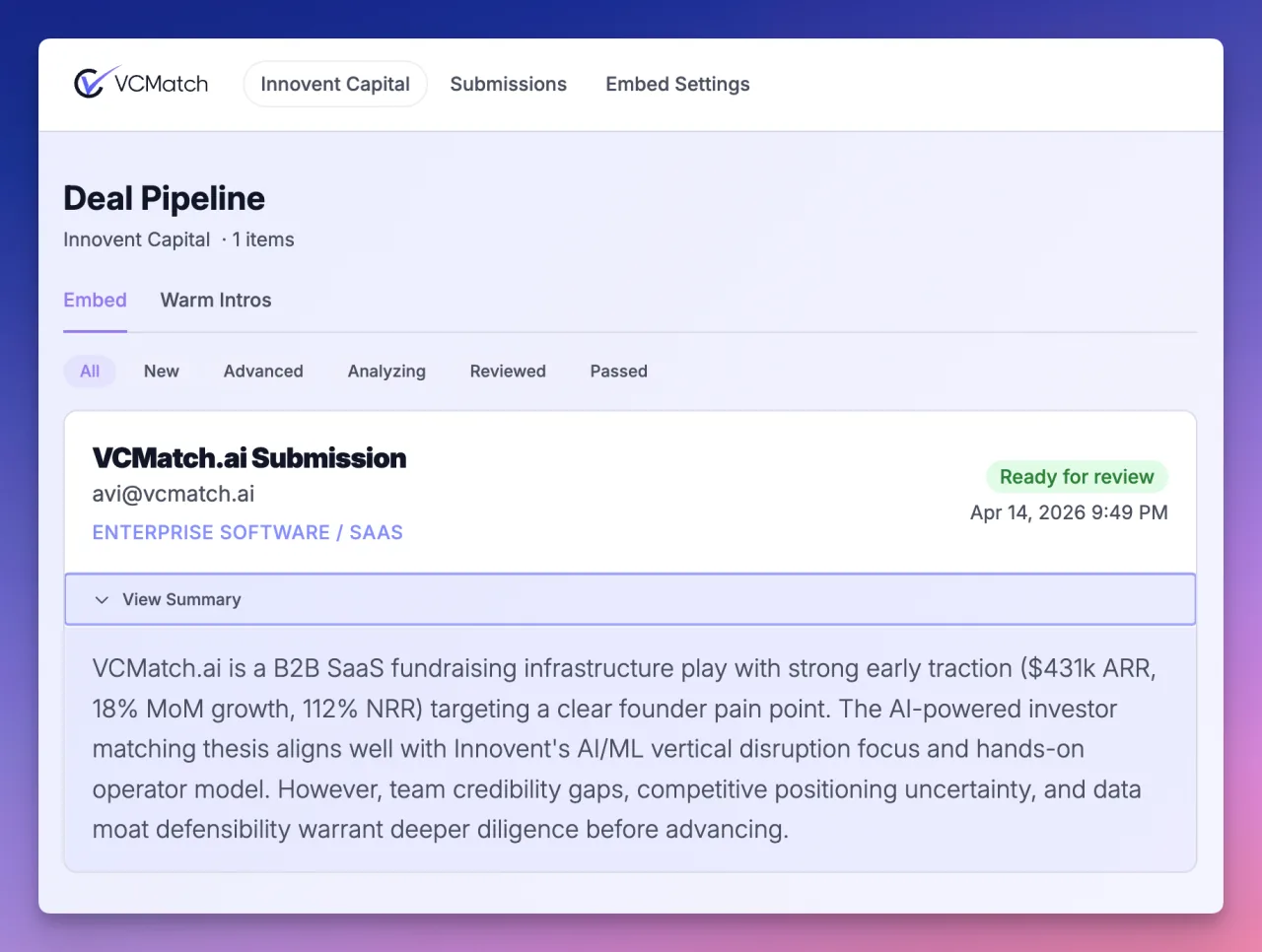
Target outcome: once the embed is live and tested, submissions appear in your investor pipeline like this.
Learn everything about an incoming deal with zero effort
Allow submissions directly from your website into your AI-powered deal pipeline. VCMatch generates AI briefs so your team processes deals faster and with more intelligence, then manages pipeline decisions by accepting a pitch or passing.
See The AI Brief In ActionNon-Technical Handoff Template
Use this message when sending work to your website person:
Subject: Add VCMatch pitch widget to our site

Hi [Name],

Please add this VCMatch embed code to our [page URL] where founders submit decks.

1) Paste code exactly as provided (do not edit token values).
2) Publish changes.
3) Send me the live page URL after deployment.

Embed code:
[PASTE CODE FROM INVESTOR PORTAL HERE]

After publishing, I will run a test submission.

Thanks.
Troubleshooting
| Issue | Likely cause | What to do |
|---|---|---|
| Widget does not appear | Code block stripped by website editor | Use a Custom HTML or Embed block, then republish. |
| Old widget stopped working | Token was regenerated | Copy the newest embed code and replace old code on your site. |
| Branding looks off | Defaults or old style overrides are active | Update Content and Styles tabs, then refresh preview. |
| No new submissions in portal | Test submission not completed | Submit a full test with a PDF and valid email, then refresh Submissions. |
FAQ
- Do I need a developer to set this up?
- Not always. If your website builder supports embed/code blocks, you can usually do it yourself.
- Can I match widget colors to our brand?
- Yes. Use the Styles tab or generate a baseline with AI Styles and then fine-tune it.
- What happens after a founder submits a deck?
- The submission is processed and appears in your investor portal submissions pipeline for review.
- Can we move the widget to a different page later?
- Yes. Move the same embed code to any page where you want to collect submissions.